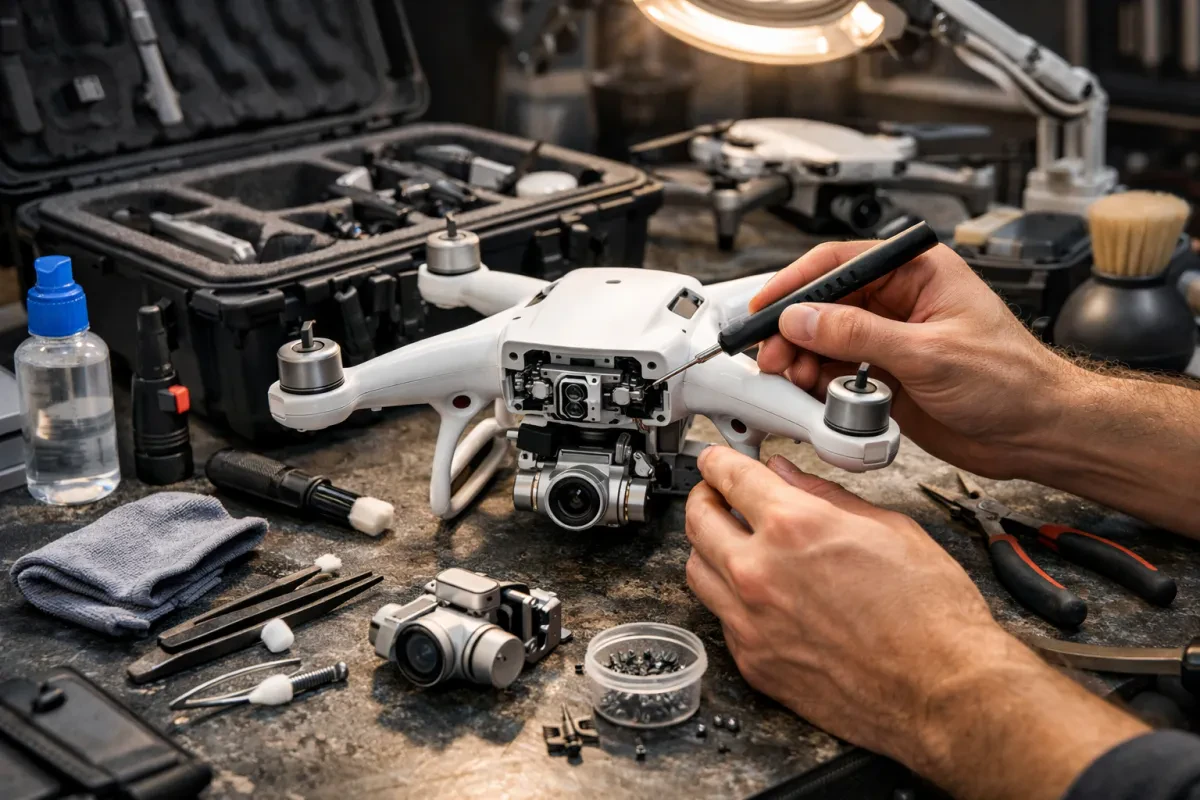
Taking care of your drone camera isn’t as daunting as it might sound. A few simple maintenance tips can keep your gear in tip-top shape and extend its life. You want to capture stunning photos and videos, so let’s make sure your drone is ready for action!
First things first, always clean your camera lenses before and after each flight. Dust and fingerprints can ruin your shots. Use a microfiber cloth for a gentle wipe. If there’s stubborn dirt, a little lens cleaner will do the trick. Just remember to avoid anything harsh that could scratch the lens.
Battery care is essential too. Make sure to check the charge before your flight. If you notice any swelling or damage, don’t use that battery. Store batteries in a cool, dry place, and try to keep them between 40% and 60% charged when not in use. This keeps them in great condition for your next adventure.
Don’t forget about the propellers! Inspect them regularly for cracks or chips. If you notice any damage, replace them right away. Clean propellers after each use to keep them functioning smoothly. A clean drone flies better, and your imagery will thank you!
Lastly, always update your drone's firmware when new versions are available. These updates often fix bugs and improve performance. Plus, you might discover new features that make flying even more enjoyable. Keeping your drone up to date is like giving it a little tune-up!
How to Clean Your Lens Safely
Cleaning your drone lens might feel a bit intimidating, but it’s super easy once you know how. A clean lens helps you capture stunning photos and videos, so let's make sure you do it right!
First things first, gather your cleaning supplies. You’ll need a microfiber cloth, a blower or brush to remove dust, and a lens cleaning solution (just make sure it’s safe for camera lenses). Avoid using anything abrasive that could scratch the lens. Your goal is to be gentle and effective!
Start by blowing away any dust or debris from the lens. This step is important because rubbing dirt can cause scratches. Once the big stuff is gone, take your microfiber cloth and lightly dampen it with the cleaning solution. Just a few drops are enough. Then, gently wipe the lens in a circular motion. This helps lift any smudges or fingerprints without pushing them around.
Be patient and don’t rush. If your lens is still a bit dirty, repeat the process. If you find stubborn spots, use a clean part of the cloth to target those areas specifically. After cleaning, check the lens in bright light to make sure it’s spotless.
Make cleaning your drone lens a regular part of your routine. After each flight or a few uses, give it a quick wipe-down. This keeps your shots clear and beautiful. Plus, it’s a great way to take care of your gear!
Storing Your Drone Camera Properly
Storing your drone camera the right way is key to keeping it in top shape. First off, always check the battery. If you're done flying, don't leave it charged for days. A fully charged battery can lose its capacity over time. It's best to store it at around 50% charge. This helps keep it healthy for your next adventure.
Next, think about the environment where you keep your gear. Avoid damp or humid places, as moisture can ruin your camera. Instead, go for a cool, dry spot. A padded case or bag can also offer extra protection against bumps and drops. You wouldn't want your expensive gear getting scratched or damaged, right?
Don’t forget about the lenses! Dust or dirt can affect the quality of your photos. Make it a habit to clean your lenses carefully before storing. Use a microfiber cloth and some lens cleaner to get rid of any smudges or grime. A quick clean can make a big difference in your shots.
Lastly, keeping an eye on those firmware updates is crucial. When you store your drone, take a moment to check for any new updates. This way, when you take off again, you know your camera is working with the latest features and fixes. It’s just a little effort that pays off big time!
Troubleshooting Common Camera Issues
Having camera issues with your drone can be frustrating, but don't worry! Here are some common problems and simple fixes to get you back in the air.
If your drone camera isn’t taking any pictures or recording videos, first check the memory card. Is it inserted properly? Make sure it's formatted and has enough space. If the card is full, clear out some files. If that’s all good, try restarting your drone. Sometimes a quick reboot solves everything.
Blurry images? That could mean your lens is dirty. Grab a soft microfiber cloth and gently wipe the lens. If it’s still blurry, check if your drone’s settings are set to the right resolution or focus mode. Playing around with these settings can often clear things up.
If your camera is freezing or lagging, it might be a connection issue. Check if your drone's firmware is updated. Outdated software can cause bugs. Also, ensure there’s no interference from other electronics. Sometimes, just moving a bit can help regain a strong connection.
Lastly, if you notice weird colors or distortion in your shots, it might be a lighting issue. Drones can struggle in low light, so try to shoot during the golden hour—just after sunrise or right before sunset—for the best colors. And remember, changing your shooting mode can also help tackle those lighting challenges.